BYOD in Schools: Laptops, Chromebooks & Tablets
Finding the right school tech doesn’t have to be a challenge. Shop a wide range of school-recommended tech in one place, with a knowledgeable team ready to help along the way. Follow these tips for a stress-free BYOD shop.
Top tip: Check before you buy. Make sure devices meet their school’s requirements before you decide.
Primary School Checklist
- Lightweight and portable
- Long battery life
- Durable construction
- Simple to log in and learn
Intermediate School Checklist
- Fast performance for multitasking
- Reliable battery life
- Comfortable keyboard for regular typing
- Cloud storage and digital collaboration tools
Secondary School Checklist
- Fast processor
- Minimum 8GB RAM
- All-day battery life
- Tech that can run Microsoft Office
BYOD For Primary School
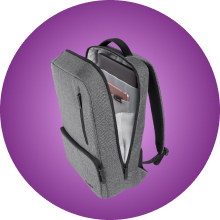
Look for devices with the battery life to last the school day without needing a re-charge. Make sure they’re built well in case of any little fumbles, and try fitting them into a protective case and their everyday backpack before the first day of class.
BYOD For Intermediate
At this level, learners need devices made for multi-tasking. Think batteries that last all day, but also plenty of storage and a bigger screen for all those group projects and presentations.
BYOD For Secondary School
Subjects and software get more specialised, and devices need to keep up. With NCEA coursework, online research, essays and assessments to be done, a full-size keyboard and a big screen are a must. It’s also a good idea to set up parental controls in case they come across anything they shouldn’t.